

Best eSIM for Video Calls and Streaming in 2026
Finding the best eSIM for video calls and streaming is less about flashy marketing and more about whether your plan can handle real travel habits. If you work from airports, join Zoom meetings from hotels, call family on WhatsApp, or watch Netflix on long train rides, the wrong plan gets painful fast. You run into throttling, weak partner networks, or hotspot limits right when you need stable data most.
The good news is that you do not need the most expensive eSIM on the market. You need the right mix of network quality, fair-use policy, enough data headroom, and a device that is properly configured for roaming. The GSMA’s eSIM overview explains why this technology works so well for travelers, and both Apple and Google publish device guides that make setup much easier before departure.
📺 Video Guide
What actually matters for video calls and streaming
Most travelers focus on headline data amounts, but heavy communication apps care about consistency. Zoom’s official requirements show that even a clean one-to-one HD call can need far more bandwidth than casual browsing. Google Meet and Microsoft Teams make the same point in different words: stable upload matters just as much as download.
That changes how you should shop. The best eSIM for video calls is usually a plan on a strong local partner network with enough headroom for spikes, not just a cheap plan with a big number on the landing page. Streaming adds another layer. Netflix’s own data usage guidance makes it clear that video quality settings can burn through several gigabytes much faster than most travelers expect.
✓ Key benefits
- ✓ Fast setup without hunting for a local SIM shop
- ✓ Easier backup connection for work calls on arrival day
- ✓ Better control over data usage when you manage plans in an app
My pick for the best eSIM for video calls
For most travelers, the best setup is not one magical provider. It is a regional or country eSIM with a clear data cap, hotspot support, and access to established local carriers. That beats vague “unlimited” promises more often than people expect. If your trip includes work calls, presentations, or evening streaming, a predictable 10 GB to 20 GB plan on a strong network is usually more useful than an unlimited plan with unclear fair-use thresholds.
I would rank plan types like this. First, fixed-data regional plans for reliability. Second, country plans for destinations where one local network is clearly better. Third, unlimited-style offers only when the provider clearly explains speed management. If you are still comparing options, it helps to read this site’s guides on best eSIM providers with unlimited data and eSIM data management tips for travelers before buying.
That answer sounds less exciting than a simple top-five list, but it is more honest. Calls drop because of carrier quality, congestion, or throttling, not because the app icon looked boring. When you are picking the best eSIM for video calls, published network partners and tethering rules matter more than branding.
💡 Pro tip
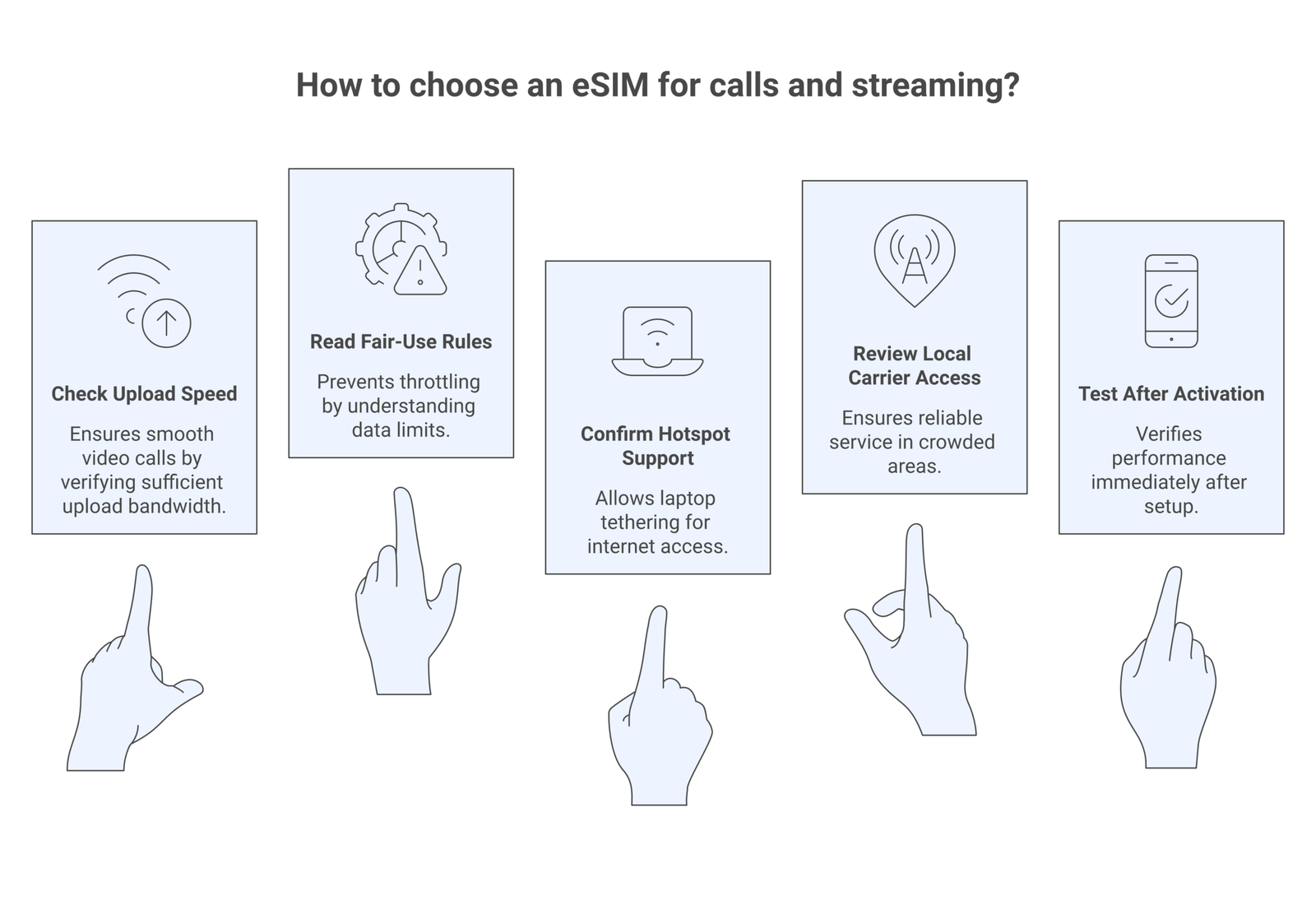
Test your destination connection with Fast.com and the Speedtest by Ookla app right after activation. If upload speed is weak, switch networks or lower video quality before your first meeting.
The five checks that separate a good plan from a frustrating one
1. Upload speed: This is the silent killer for video calls. Download speed looks fine, but your voice stutters because upload is weak. That is why official docs from Zoom, Meet, and Teams are worth checking before assuming any 4G connection will do.
2. Fair-use policy: “Unlimited” often means high-speed data up to a threshold, then slower service after that. A plan can still be useful, but you need to know the rule before relying on it for meetings or nightly streaming.
3. Hotspot permission: If you travel with a laptop or tablet, check whether tethering is allowed. Android documents hotspot setup in its official help guide, and Apple does the same for Personal Hotspot. A plan that blocks tethering can ruin an otherwise good work setup.
4. Network switching: Some eSIMs perform well because they can use more than one local carrier. Others lock you to a weaker partner. That difference becomes obvious in crowded train stations, trade shows, and tourist centers.
5. App control: A solid app makes topping up, checking usage, and reinstalling far less stressful. If you want help with recovery scenarios, this guide on common eSIM troubleshooting fixes is worth bookmarking before you leave home.
How much data video calls and streaming really use
This is where many travelers get surprised. A few short calls barely move the needle, but repeated HD meetings plus evening entertainment can chew through a plan in days. Netflix says lower quality settings use far less data than HD or Ultra HD, so if you are on a capped eSIM, switching quality settings is one of the simplest wins. For work calls, reducing camera resolution often helps more than people think, especially if hotel Wi-Fi is unstable.
Messaging apps are lighter, but not free. WhatsApp’s storage and data settings are worth reviewing because the app lets you limit background usage and monitor traffic. If your phone supports Wi-Fi calling, Apple also explains how to set up Wi-Fi Calling, which can take pressure off your travel data plan when hotel internet is decent.
A practical rule works better than chasing exact megabytes. If you expect daily video meetings, start with more data than your instinct suggests. If you only need a few check-ins and light evening streaming, a mid-sized plan can still be the best eSIM for video calls because it gives you strong speeds without paying for unused headroom.
📝 Important note
Hotel Wi-Fi can be useful for downloads and backups, but I would not treat it as your only plan for important meetings. A travel eSIM plus Wi-Fi is the safer combo.
Best device setup before you travel
Even the best eSIM for video calls will disappoint if the phone is misconfigured. Install the eSIM before departure when possible, label it clearly, and decide which line handles data. On dual-SIM phones, keep your primary number active for messages if costs allow, but route mobile data through the travel eSIM. That keeps two-factor codes flowing without exposing you to surprise roaming charges.
If you are choosing software to manage multiple plans, these reviews of the best eSIM apps for iPhone and best eSIM apps for Android can save you some trial and error. The strongest apps make it obvious when a plan activates, how much data remains, and whether a top-up is available without reinstalling anything.
I also recommend one dry run before travel: connect over mobile data, place a short video call, upload a large file, and toggle hotspot once. That sounds boring, but it catches most ugly surprises before you are standing in an airport with 3% battery and a meeting in ten minutes.
When an unlimited plan actually makes sense
Unlimited plans make sense for three kinds of travelers: remote workers with daily calls, families sharing one connection, and anyone who uses hotspot heavily for a laptop. Even then, the best choice is the provider that explains its policy clearly. If fair-use kicks in after a small amount of daily data, that plan may still be fine for maps and messages but weak for video-heavy days.
I would only pay a premium for unlimited data if the trip itself makes data unpredictable. Think conferences, long overland journeys, or trips where you expect to work from moving locations instead of stable apartments. Otherwise, a measured plan with top-up flexibility is often the smarter buy. It is cheaper, easier to compare, and usually more transparent.
⚠️ Disclaimer
Plan terms, hotspot rules, local carrier partners, and fair-use thresholds can change. Always verify the current product page and network details before buying. This guidance reflects publicly available information and platform requirements as of April 2026.
Bottom line
The best eSIM for video calls is the one you can trust under pressure. That usually means a plan with honest data rules, good local network access, and enough room for upload-heavy work. If streaming matters too, give yourself margin. Travelers nearly always regret buying too little data, not too much.
If I had to reduce the whole decision to one sentence, it would be this: buy for reliability first, then price. Cheap data that cannot hold a call is not cheap. It is just annoying.
Frequently Asked Questions
For occasional calls, a moderate plan may be enough. For daily work meetings and streaming, start with a larger plan or one that supports easy top-ups.
Is an unlimited eSIM always better for streaming?No. Some unlimited plans reduce speed after a fair-use threshold. A larger fixed-data plan on a stronger network can perform better.
Can I use my eSIM as a hotspot for a laptop?Usually yes, but not every plan allows tethering. Check the product terms before purchase, especially if laptop work is essential.
What is more important for calls, download speed or upload speed?Both matter, but upload speed is often the weak point that causes frozen video and broken audio on mobile networks.
Should I rely on hotel Wi-Fi instead of buying an eSIM?Not if you have important calls. Hotel Wi-Fi can help, but a travel eSIM gives you a more dependable fallback when the local network gets crowded.