
eSIM for Korea: Complete Travel Connectivity Guide 2026
South Korea ranks among the most connected countries on Earth, with blazing-fast 5G networks covering Seoul, Busan, Jeju, and practically every corner of the peninsula. For travelers, that connectivity is only useful if you can actually tap into it. An eSIM solves that problem before you even board your flight. Instead of hunting for a SIM card vendor at Incheon International Airport, you download a data plan to your phone in minutes and land with mobile data already working.
This guide covers everything you need to stay connected during your Korea trip: which eSIM providers work best, what plans cost, how to activate before departure, and tips for getting the most out of your data while exploring Korea’s top destinations.
📺 Video Guide
Why use an eSIM for South Korea?
Traditional options for getting online in Korea include renting pocket WiFi at the airport, buying a physical SIM card from a convenience store, or relying on your home carrier’s international roaming. Each has drawbacks. Pocket WiFi means carrying an extra device and keeping it charged. Physical SIM cards require swapping out your home SIM (and hoping you don’t lose it). International roaming from carriers like T-Mobile or AT&T often costs $10-15 per day.
An eSIM bypasses all of that. You purchase a plan online, scan a QR code or use an app, and your phone connects to a Korean carrier network the moment you arrive. Your primary phone number stays active on your physical SIM, so you still receive calls and texts from home.
✓ Key benefits of eSIM in Korea
- ✓ Instant activation: no airport queues or store visits
- ✓ Keep your home number active alongside the Korean data plan
- ✓ Cheaper than carrier roaming (often 60-80% savings)
- ✓ Access Korea’s fast LTE and 5G networks directly
- ✓ Purchase and set up before you leave home
Best eSIM providers for Korea in 2026
Several eSIM providers offer Korea-specific plans. The differences come down to data allowance, network partner, price, and whether you get a Korean phone number with the plan. Here’s how the top options compare.
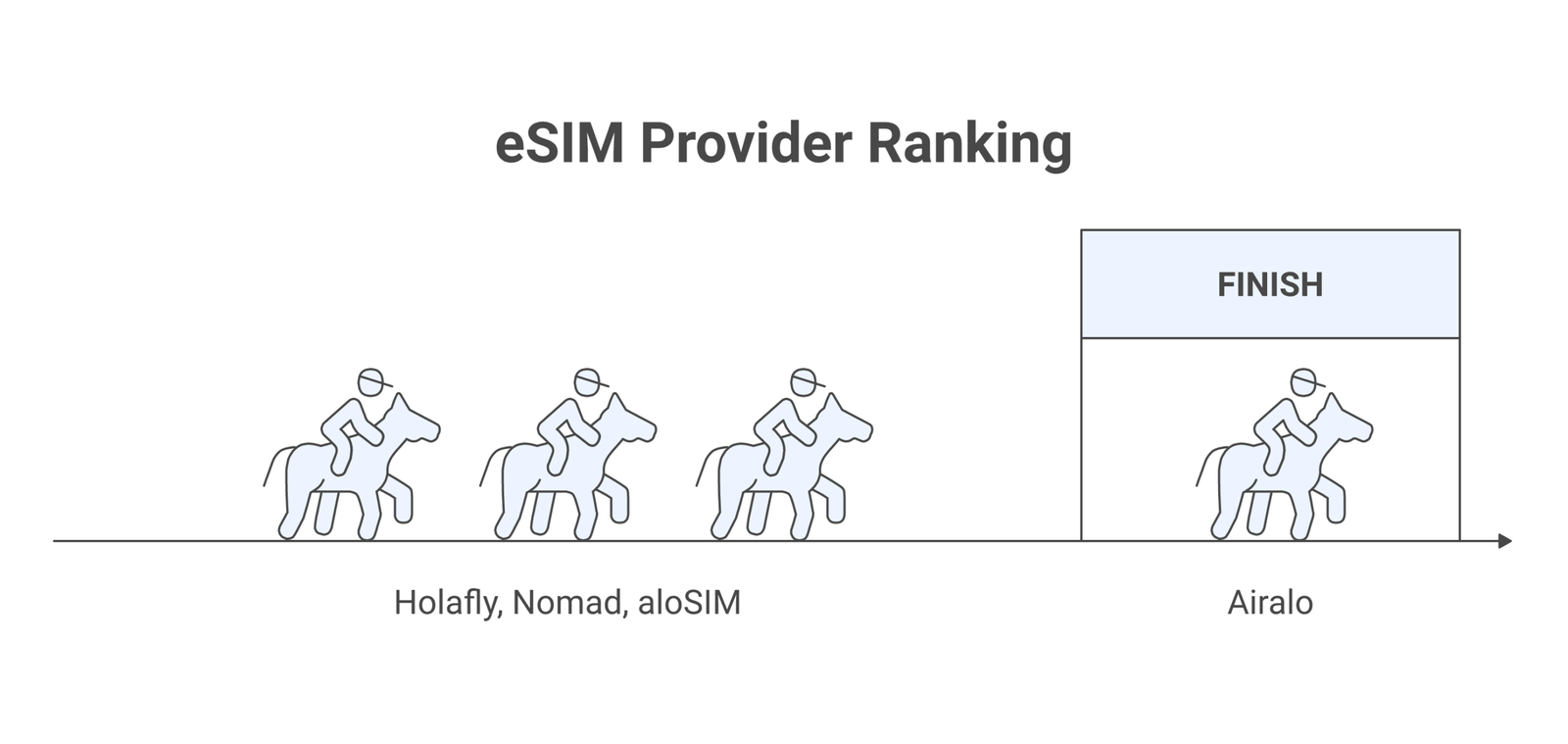
Airalo is the most popular eSIM marketplace globally. Their Korea plans start around $4.50 for 1GB over 7 days, scaling up to $16 for 5GB over 30 days. Airalo partners with local Korean carriers and offers data-only plans. The Airalo app makes purchasing and installing straightforward, and they frequently run discount codes for first-time buyers.
Holafly stands out for unlimited data plans. Their Korea eSIM gives you unlimited data for a flat daily rate (roughly $6/day for a 5-day plan, cheaper for longer durations). If you plan on streaming, video calling, or using GPS navigation heavily through Naver Map (which works better than Google Maps in Korea), unlimited data removes the anxiety of running out mid-trip.
Nomad offers competitive pricing with data packages ranging from 1GB to 10GB. They provide decent Korea coverage through SK Telecom’s network, which is the largest carrier in South Korea. Plans typically run $5-20 depending on data and validity period.
aloSIM and Maya Mobile round out the options. aloSIM tends to be the budget pick with lower per-GB prices, while Maya Mobile offers some plans with Korea-specific phone numbers for travelers who need to receive local calls (useful for restaurant reservations or accommodation check-ins).
💡 Pro Tip
Google Maps works in Korea but lacks turn-by-turn navigation due to government mapping restrictions. Download Naver Map or Kakao Map before your trip. Both have English interfaces and accurate Korean transit directions. You’ll need your eSIM data to use them on the go.
How much data do you actually need in Korea?
South Korea has free public WiFi in most subway stations, cafes, and commercial areas. The Korea Herald reported that Seoul alone has over 50,000 free WiFi hotspots. That said, relying on public WiFi for navigation, translation apps, and KakaoTalk messaging between spots gets frustrating fast.
Here’s a rough breakdown of daily data consumption for typical travel activities:
- Light usage (maps, messaging, occasional browsing): 300-500MB per day
- Moderate usage (social media, photo uploads, translation apps): 500MB-1GB per day
- Heavy usage (video calls, streaming, continuous GPS): 1-2GB per day
For a 7-day trip with moderate usage, a 5GB plan usually does the job. If you’re a content creator posting daily or working remotely from Korean cafes, go with unlimited data or at least 10GB.
How to set up your Korea eSIM before departure
Setting up an eSIM for Korea takes about five minutes. The process is similar across providers, though the exact steps vary slightly between iPhone and Android devices.
Step 1: Check your phone supports eSIM. Most phones released after 2020 do, including iPhone XS and later, Samsung Galaxy S20 and later, Google Pixel 3 and later, and recent OnePlus models. Check GSMA’s eSIM resource page if you’re unsure. Your phone also needs to be carrier-unlocked.
Step 2: Purchase your plan. Pick a provider (Airalo, Holafly, Nomad, etc.), select a Korea plan, and complete the purchase. You’ll receive a QR code via email or within the provider’s app.
Step 3: Install the eSIM profile. On iPhone, go to Settings > Cellular > Add eSIM > Use QR Code. On Android (Samsung), go to Settings > Connections > SIM manager > Add eSIM. Scan the QR code from your provider. You need WiFi during this step.
Step 4: Label and configure. Name the new line something like “Korea Data” so you can identify it. Set your eSIM as the default for cellular data, and keep your physical SIM as default for calls and texts. This way you stay reachable on your home number while using Korean data.
Step 5: Activate on arrival. Most Korea eSIM plans activate when you first connect to a local network. Some activate immediately upon installation, so check your provider’s policy. If it activates immediately, install the eSIM the day before your flight to maximize your data validity window.
📝 Important Note
Install your eSIM while you still have WiFi access (at home or the airport). You cannot install an eSIM without an internet connection. Also, make sure data roaming is enabled for the eSIM line in your phone settings, or it won’t connect to Korean networks.
Korean mobile networks and coverage
South Korea has three major mobile carriers: SK Telecom, KT (Korea Telecom), and LG U+. All three operate extensive 4G LTE and 5G networks. According to Ookla’s Speedtest Global Index, South Korea consistently ranks in the top 5 worldwide for mobile download speeds.
Coverage is excellent across the country. Urban areas like Seoul, Busan, Incheon, and Daegu have dense network infrastructure with speeds regularly exceeding 100Mbps on LTE. Even rural areas, including Jeju Island and smaller towns along the south coast, maintain strong 4G coverage. The Ministry of Science and ICT has invested heavily in nationwide broadband, making Korea one of the few countries where you’ll rarely hit a dead zone.
Most eSIM providers partner with either SK Telecom or KT for their Korea plans. Both offer comparable coverage, so the carrier behind your eSIM shouldn’t be a deciding factor. If you want the absolute best 5G experience, plans routing through SK Telecom tend to have the widest 5G footprint.
eSIM vs. other connectivity options in Korea
Here’s how eSIM stacks up against the other ways travelers get online in South Korea:
Physical SIM card: Available at Incheon Airport, convenience stores, and some subway stations. Costs roughly $20-40 for 5-10 days of unlimited data. The downside is you need to physically swap your SIM, and if your phone uses a nano-SIM, you might need an adapter or a SIM tool you forgot to pack. With eSIM, you avoid this entirely.
Pocket WiFi rental: Available for pickup/return at Incheon and Gimpo airports. Costs $3-8 per day with unlimited data. The device creates a personal WiFi hotspot, which is useful if you’re traveling with multiple people. The downsides: you carry another device, keep it charged, and risk rental fees if it’s damaged or lost.
International roaming: The most convenient option if your carrier offers it at a reasonable price, but most don’t. Major US carriers charge $6-15/day for international passes. Over a week-long trip, that’s $42-105 compared to $5-30 for an eSIM plan with similar or better data.
Free WiFi only: Technically possible given Korea’s WiFi density, but impractical. You won’t have maps or translation apps between WiFi spots, and public WiFi networks carry security risks flagged by CISA.
Essential apps that need mobile data in Korea
Korea runs on a few apps that Western tourists might not have on their phones yet. All of them work much better with a constant data connection:
KakaoTalk: Korea’s dominant messaging app, used by 93% of the population according to the Statista global messaging report. Restaurants, tour operators, and hotels often communicate through KakaoTalk rather than email or phone calls. Having mobile data means you can reach businesses and reply instantly.
Naver Map / Kakao Map: As mentioned, Google Maps is limited in Korea. Naver Map gives you accurate bus, subway, and walking directions. Kakao Map integrates with Kakao Taxi for ride-hailing. Both require data to function in real-time.
Papago or Google Translate: Naver’s Papago translator handles Korean-English translation better than most alternatives, especially for restaurant menus and street signs. The camera translation feature (point your phone at Korean text) needs an active data connection.
T-money card apps: Korea’s transit system runs on T-money cards, and you can check balances, find routes, and even top up through mobile apps. Some newer phones with NFC support can use mobile T-money directly.
Tips for getting the most from your Korea eSIM
A few practical tips from frequent Korea travelers that can save you data, money, and headaches:
Download offline maps before you go. Even with eSIM data, having offline maps as a backup saves battery and data. Naver Map allows you to cache map areas for offline use. This is especially handy for subway maps if you’re underground where even Korea’s excellent coverage can drop briefly.
Turn off automatic app updates and cloud syncs. iCloud Photos, Google Photos backup, and automatic app updates can chew through gigabytes without you noticing. Switch these to WiFi-only before your trip.
Use WiFi when available. Korean coffee shops (there are over 100,000 of them) almost always offer free WiFi. Do your heavy downloading, uploading, and streaming over WiFi to preserve eSIM data for on-the-go essentials.
Check if your eSIM plan includes hotspot/tethering. Not all plans allow you to share your data connection with a laptop or tablet. If you’re traveling with a partner or need laptop access, confirm tethering is supported before you buy, or pick a provider like Holafly that explicitly allows it.
Set up your eSIM the day before flying. For plans that activate on installation (rather than first network connection), this gives you the maximum number of usable days. For plans that activate on first use in Korea, you can install anytime before departure with no urgency.
💡 Pro Tip
If you’re visiting Korea during peak travel seasons (cherry blossom season in April, fall foliage in October/November), buy your eSIM a few days early. Provider websites and apps occasionally slow down during high-demand periods, and having your profile installed removes one thing from your departure checklist.
eSIM pricing comparison for Korea trips
Here’s a snapshot of what you can expect to pay for Korea eSIM plans across major providers as of March 2026:
Budget (under $10): Airalo’s 1GB/7-day plan at $4.50 or aloSIM’s 2GB/7-day at $6. These work for light users who rely heavily on WiFi and only need data for maps and messaging between spots.
Mid-range ($10-25): Airalo’s 5GB/30-day at $16, Nomad’s 5GB/15-day at $14. Solid for a week-long vacation with moderate social media use and daily navigation.
Unlimited ($25-50): Holafly’s unlimited 7-day at $27, or their 15-day at $40. Best for content creators, remote workers, or anyone who doesn’t want to think about data usage at all.
By comparison, renting a pocket WiFi at Incheon Airport runs $5-8/day (so $35-56 for a week), and carrier roaming from Verizon’s TravelPass costs $14/day ($98 for a week). An eSIM is clearly the better deal in almost every scenario.
Troubleshooting common Korea eSIM issues
Most eSIM activations go smoothly, but occasionally things don’t connect right away. Here are the most common issues and fixes:
No network connection after landing: Toggle airplane mode on and off. If that doesn’t work, go to cellular settings and manually select a network. Try SK Telecom or KT. Also confirm that data roaming is toggled ON for your eSIM line specifically.
QR code won’t scan: Make sure you’re scanning in your phone’s cellular/eSIM settings (not the camera app). If the QR code is on your phone screen, you’ll need a second device or a printed copy to scan it. Most providers also offer a manual activation code you can type in.
Slow speeds: South Korea’s networks are fast, so if you’re getting slow speeds, your plan might be throttled after hitting a soft data cap. Check your provider’s fair usage policy. Switching between LTE and 5G in your settings can sometimes help, since 5G towers may be congested in busy areas like Myeongdong or Hongdae.
eSIM disappeared from settings: This occasionally happens after a phone restart. Go to Settings > Cellular and check if the eSIM line is still listed but disabled. Re-enable it. If it’s truly gone, contact your provider for a replacement QR code (most providers handle this for free).
Where you’ll need your eSIM most in Korea
While Korea has WiFi in many places, there are specific situations where your eSIM data connection becomes essential:
Seoul’s subway system: The Seoul Metro is one of the most complex transit networks in Asia with 23 lines and over 700 stations. Real-time navigation through Naver Map or the Seoul Metro app helps you find the right line, transfer point, and exit number (Korean stations often have 10+ exits, and taking the wrong one can add 15 minutes to your walk).
Ordering food: Many Korean restaurants, especially popular spots in tourist areas, now use QR-code ordering systems. You scan a code at your table, browse the menu on your phone (often with English translations), and place your order. No data connection means no ordering.
Outside Seoul: If you’re visiting Busan’s Gamcheon Culture Village, hiking in Seoraksan National Park, or exploring Jeju’s volcanic trails, public WiFi becomes scarce. Your eSIM is your lifeline for maps, weather checks, and emergency communication.
Ride-hailing: Taxis in Korea are affordable, and Kakao Taxi is the go-to app. Without mobile data, you can’t request a ride, track your driver, or use the in-app translation feature that lets you communicate your destination to drivers who don’t speak English.
⚠️ Disclaimer
Prices and plan details mentioned in this article are based on publicly available information as of March 2026. eSIM providers update their pricing and coverage regularly. Always check the provider’s official website for the most current plans before purchasing. Network speeds and coverage may vary based on location, time of day, and device compatibility.
Frequently Asked Questions
No. This guide covers South Korea only. North Korea does not allow foreign mobile devices or SIM cards for tourists. Organized tour groups to North Korea typically have no personal mobile connectivity.
Do I need a Korean phone number with my eSIM?Most travelers don’t. Data-only eSIM plans work for messaging apps, maps, and browsing. However, if you need to verify accounts with Korean services, receive SMS from local businesses, or make local voice calls, look for eSIM plans that include a Korean number (Maya Mobile and some KT-based plans offer this).
Will my eSIM work on the KTX bullet train?Yes. The KTX high-speed train between Seoul and Busan (and other routes) has cellular coverage along the entire route. You might experience brief drops in tunnels, but overall connectivity is reliable. Some KTX trains also offer onboard WiFi.
Can I extend my eSIM plan if I stay longer in Korea?It depends on the provider. Airalo lets you buy additional data top-ups through their app. Holafly allows you to extend unlimited plans. With some providers, you may need to purchase and install a new eSIM profile. Check the provider’s top-up policy before your trip if you think your stay might extend.
Is 5G available through eSIM in Korea?Some eSIM plans provide 5G access, but most tourist-oriented plans default to LTE. Korea’s LTE is fast enough (50-150Mbps typically) that you’re unlikely to notice the difference for regular travel use. If 5G speeds matter to you, check with the provider whether their Korea plan supports it and whether your device is compatible with Korean 5G bands.